Please follow the steps below to log into your Giving or Prayer account. If you would like to designate your gift for a specific organization, project, or individual, please directly contact them for their specific giving link.
Information on how to request help can be found here: What ways can I request help?
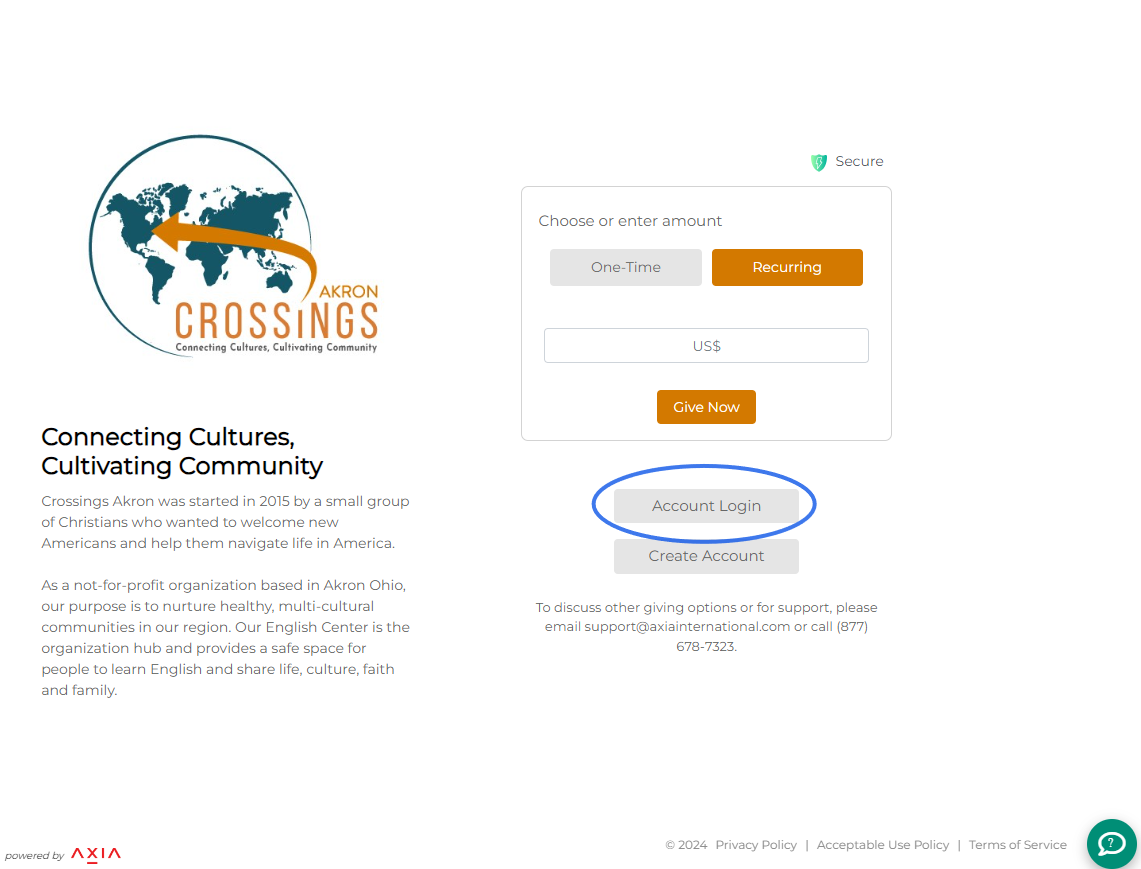
Step 1: To log into your giving or prayer partner account, click the “Account Login” button on the giving page.
Step 2: Fill in your email address and password and click the "Log In" button.
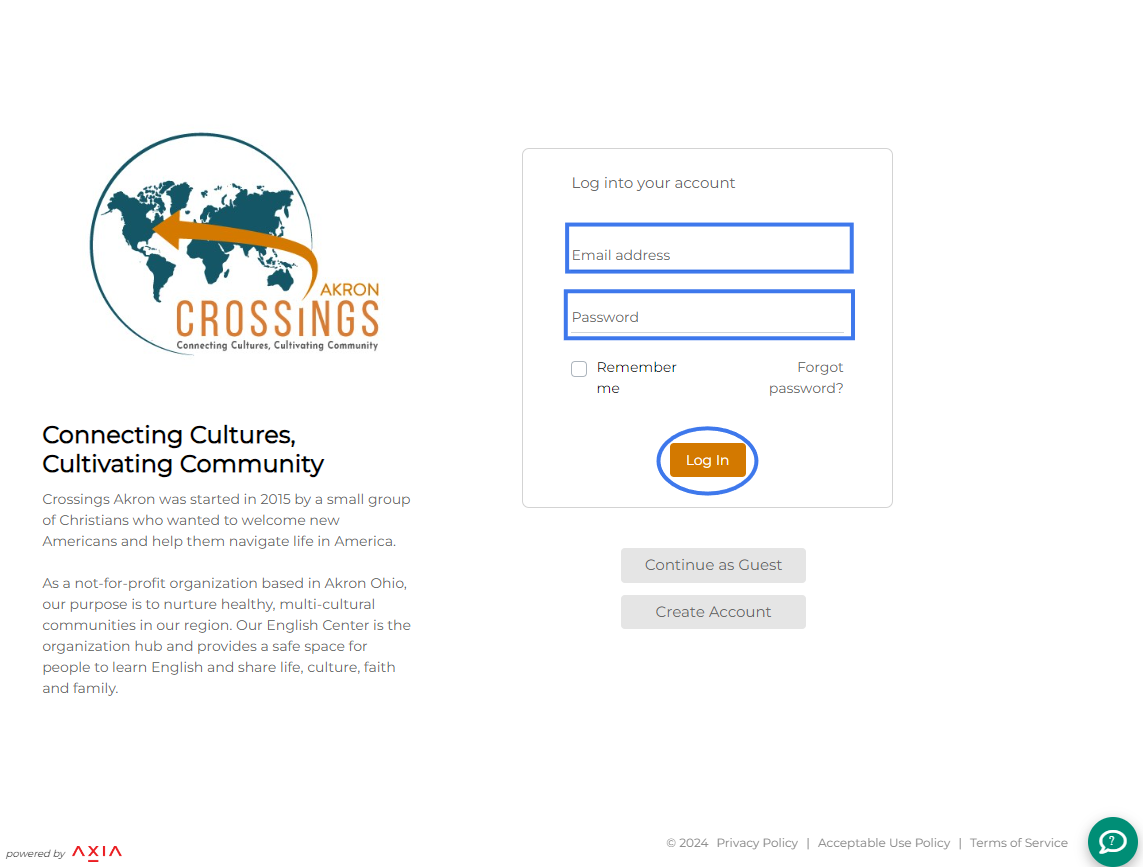
If you no longer have your account password available, please click the "Forgot password?" link and follow the steps. Additional information on resetting your password can be found here: I forgot my password to my Giving or Prayer Partner Account. How can I reset it?
Finally, if you need additional assistance, please do not hesitate to contact us. You can contact support by 1) submitting an online help ticket (via the green question icon on the bottom right), 2) sending an email to support@axiainternational.com, or 3) calling (877) 678-7323 and pressing option 1.
Was this article helpful?
That’s Great!
Thank you for your feedback
Sorry! We couldn't be helpful
Thank you for your feedback
Feedback sent
We appreciate your effort and will try to fix the article